> For the complete documentation index, see [llms.txt](https://maiv.gitbook.io/maiv-finance/llms.txt). Markdown versions of documentation pages are available by appending `.md` to page URLs; this page is available as [Markdown](https://maiv.gitbook.io/maiv-finance/the-maiv-investment-platform/staking.md).
# Staking
Learn to stake!
We've already been through the introduction to staking in our membership guide on the previous page. But let's take a quick look at the most important elements of the staking interface.
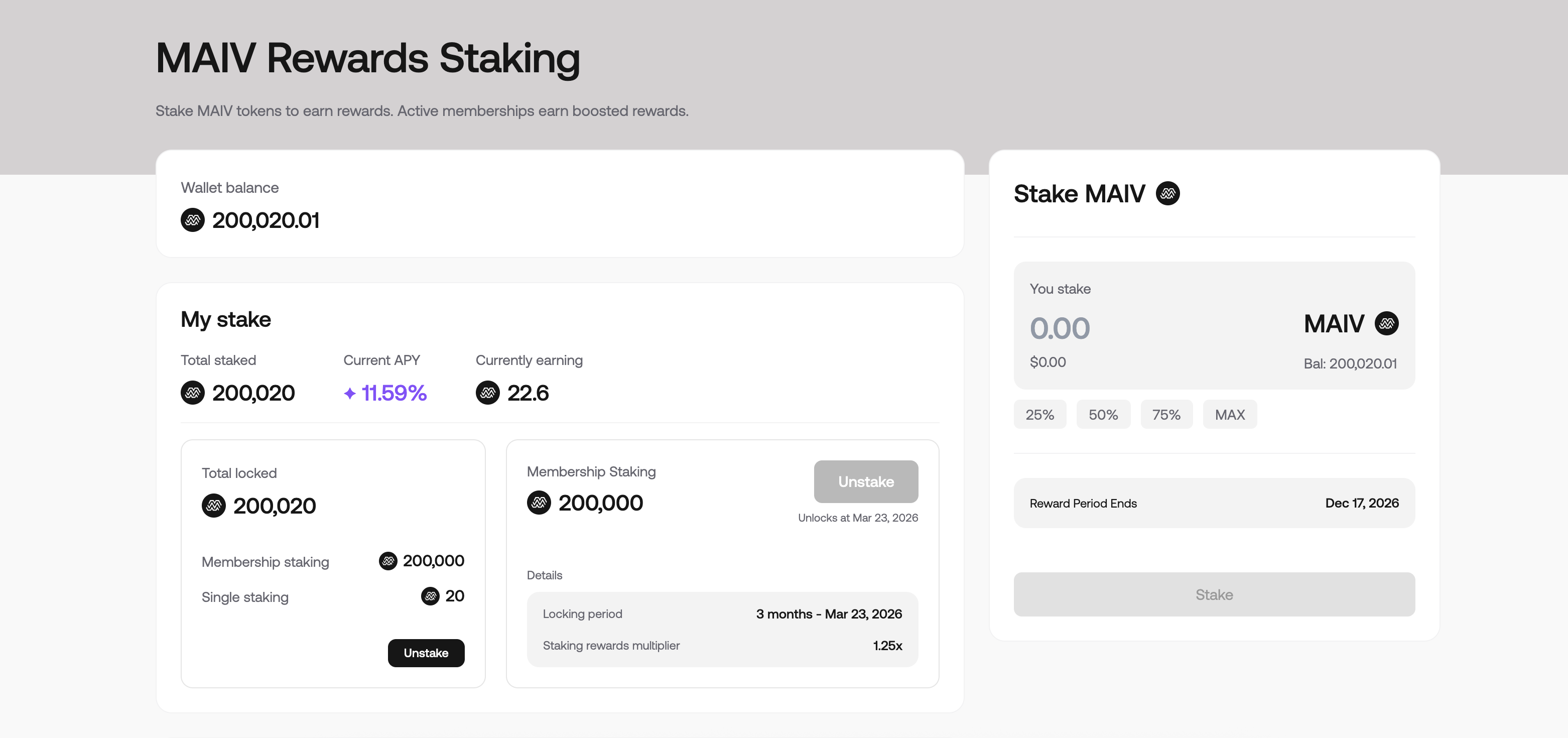
Go to the top of the page and click 'Staking'. You will see the following interface.
You will see your membership staking amount, as well as any additional MAIV you have staked. On the right-hand side, you can see the option to add additional MAIV into staking, which you may do at any time, regardless of your membership tier or amount of MAIV staked to date.
You'll see here that the reward period ends in one year's time - this is when the current staking will be reviewed.
You will also note the current APY. The staking APY is dynamic, meaning it decreases the more total stake that is in the pool. This number may fluctuate over time, but you can maximise your staking rewards through membership multipliers.
Finally, you will see your membership staking, locking period, and multiplier. You cannot unstake until the locking period you selected at membership creation has elapsed, although you may increase your membership to a higher tier in this time.
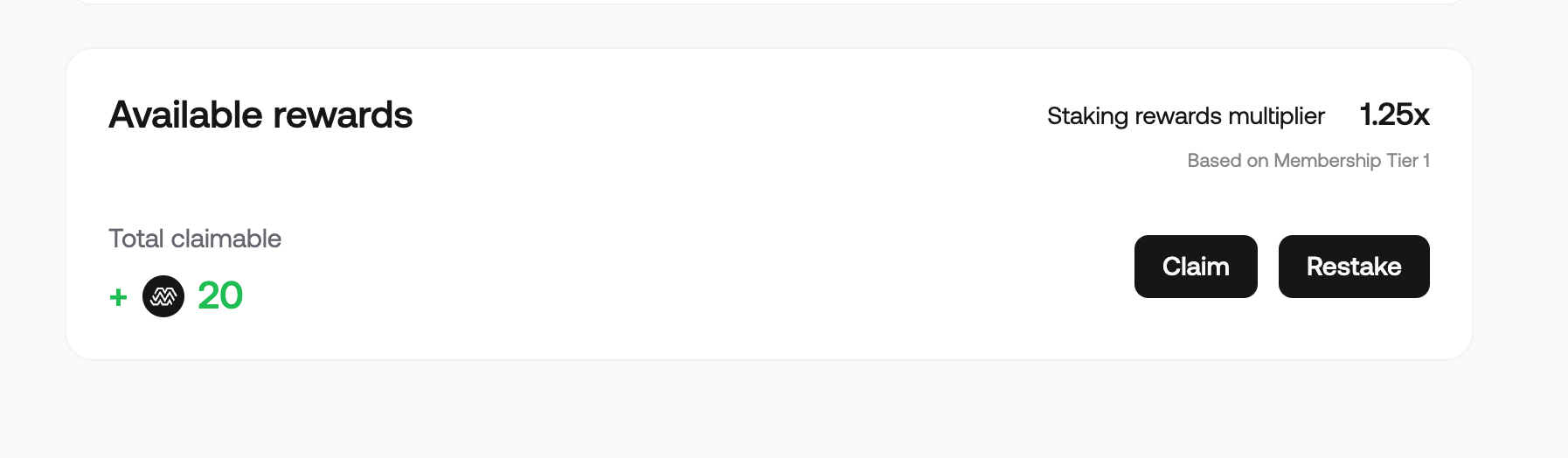
At the bottom of the page, you will see the total amount of tokens you have available to restake. You'll notice that there are two options here, 'Claim' and 'Restake'. If you wish to compound your staking rewards, meaning you immediately put your earned MAIV back into staking, you can click 'Restake' and follow the wallet prompts to add your claimable amount back to your staking balance.
If you wish to claim, you simple click 'Claim', follow the wallet prompts and receive the MAIV rewards back to your linked wallet.
That's staking in a nutshell! Don't forget, if you have any issues, questions, or need help, we have a dedicated ticketing system in our Discord, [here](https://discord.gg/Vm8nWzuAF5).